
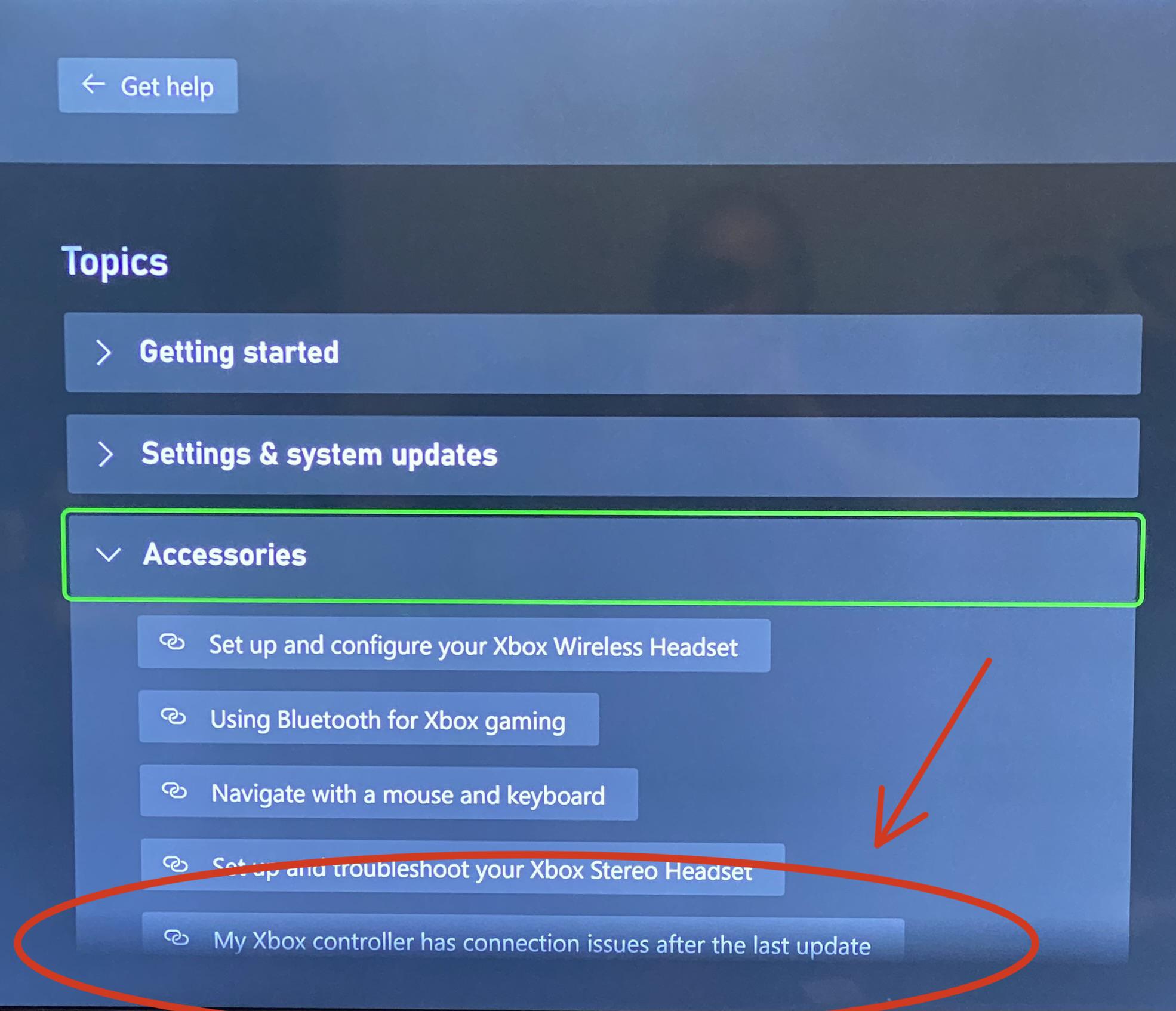
I recently updated my model 1708 and it stopped working correctly with my setup… tried to follow steps and the firmware revert option was gone…
Or so I thought! I did a little digging, and it’s now moved!
Per the Xbox website: “On your Xbox console, press the Xbox button to open the guide, and then go to Profile & system > Xbox Support > Get help > Help topics > Hardware & networking > Controllers > My Xbox controller has connection issues after the last update. Select Check your controller’s firmware to open the controller firmware reversion screen in the Xbox Accessories app, and then follow the instructions in the app.”
THE WEBSITE IS WRONG!
Here’s the corrected steps as of 07/26/23!!!
On your Xbox console, press the Xbox button to open the guide, and then go to Profile & system > Xbox Support > Get help > Help topics > Hardware & networking > ACCESSORIES > My Xbox controller has connection issues after the last update.