
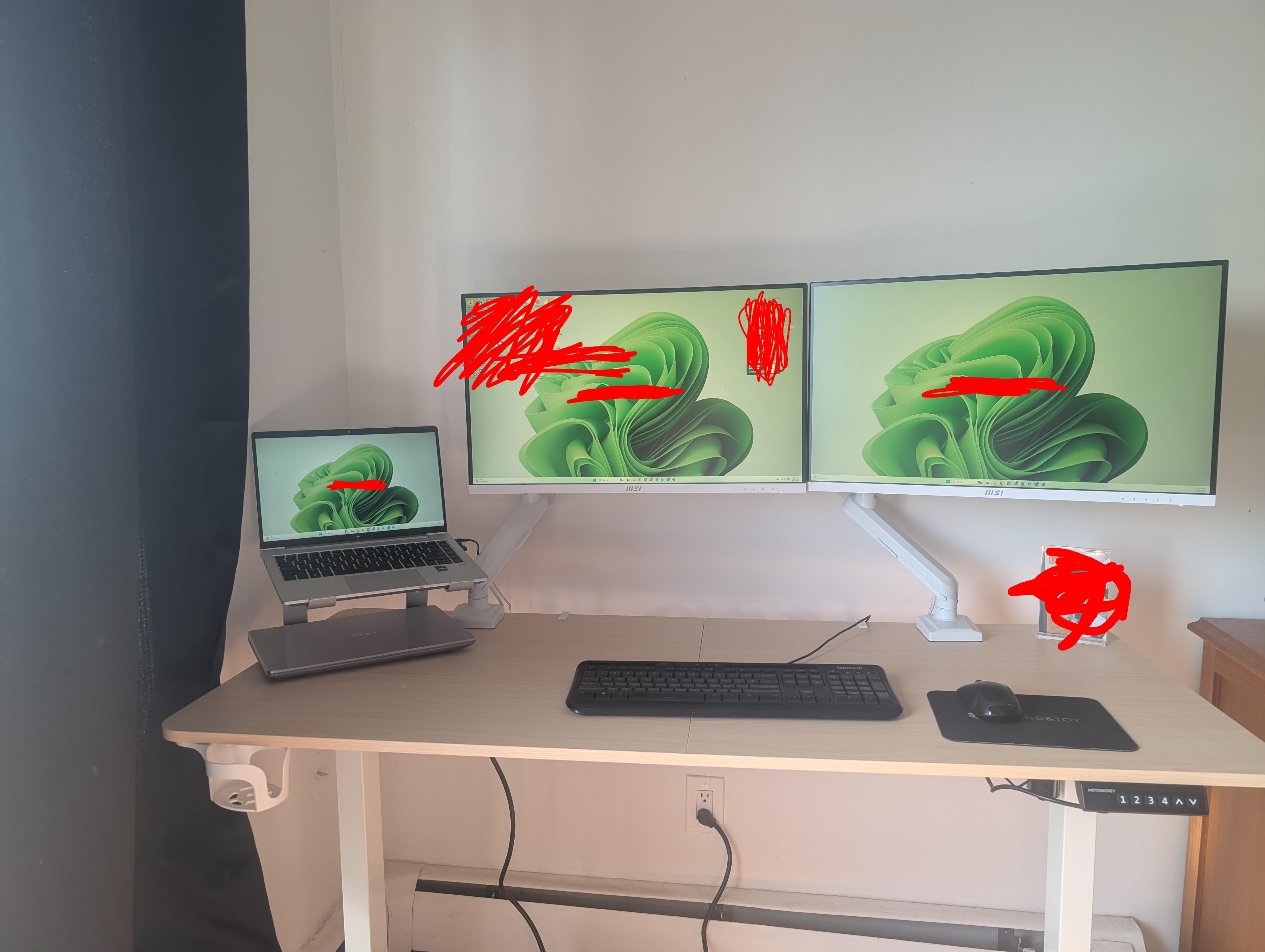
Originally I had a very basic set up 1 cheap external monitor that was it. In the new year I upgraded my WFH set up.
I believe there is a issue with my set up and but im not sure where the issue is.
Equipment:
HP elite book 640 G9 (12th gen i7-1265U 16gb ram, integrated graphics card)
Monitors 2x PRO MP273QW E2 from MSI 100hz 1440p 27"
Think pad Hybrid USB-C dock (40AF013US)
Laptop is powered by and connected via USB C to my USB hub, USB hub connects my monitors via HDMI cables. The USB dock has a 135W power supply. And monitors and the dock are all attached to a rocket fish surge protector. My desk is powered by the surge protector.
With basically nothing open my CPU is being utilized at 7% and my memory is being used at 55%
While doing my normal work tasks, having many large Excel data sets and dashboards open amongst other programs my CPU is being used around 20% and my memory is being used around 85%
At work I use 2 external 24 inch 1080p monitors and I have absolutely no issues.
Messed around with my settings, lowered resolution and refresh rate, made sure best performance was on etc.
Tried to power laptop separately and connect to USB hub via USB A. Changed cables. Unplug and replugged in the dock.
Not sure why this is causing a noticeable lag and making my laptop fan go crazy, slow excel calculations.
Posted by Ill-Pace33
2 Comments
Your IGPU is most likely not powerful enough.
So if you simply take your setup as it is right now and unplug 1 monitor, the issue goes away completely?