
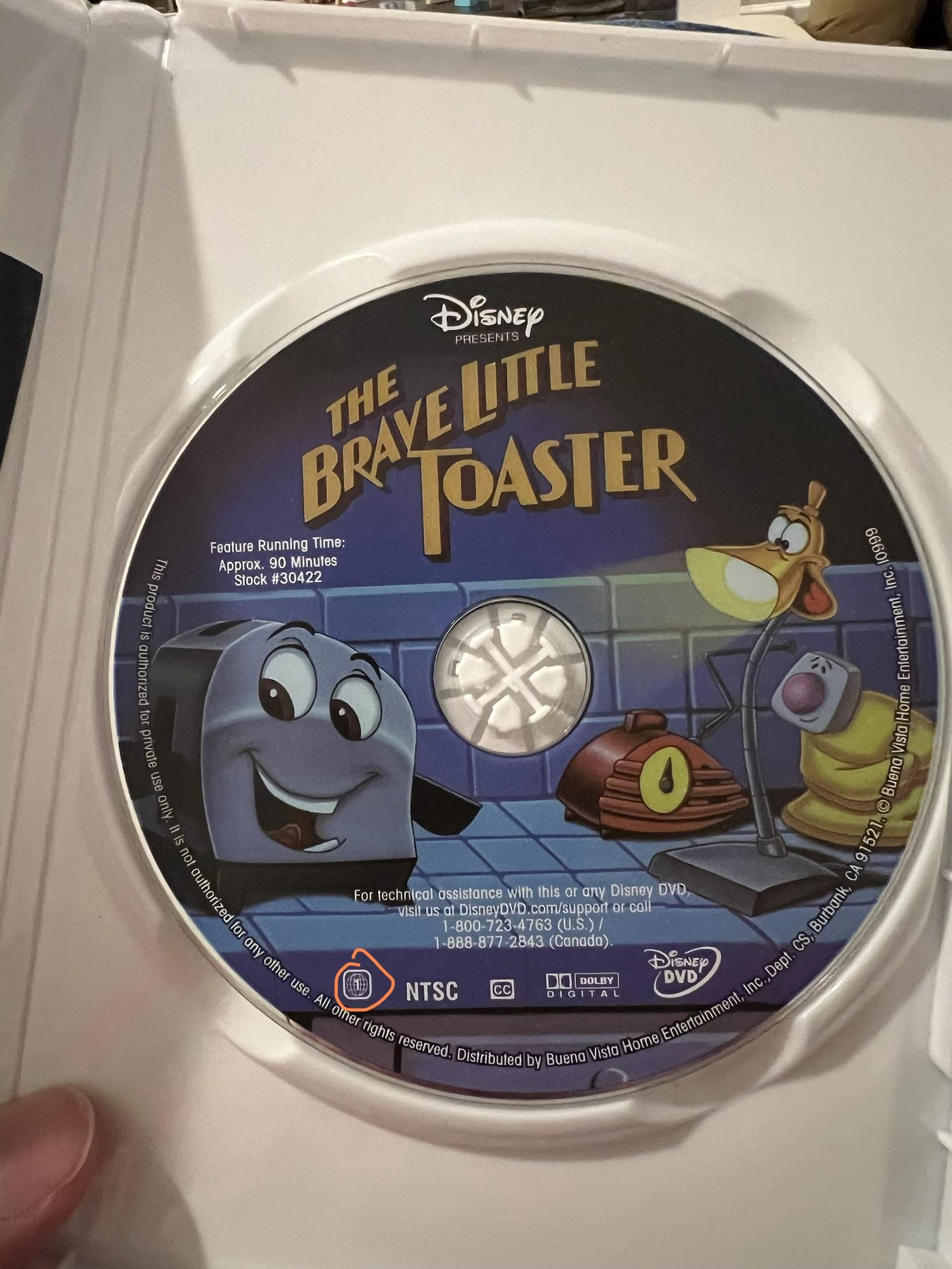
I recently purchased a copy of the Brave Little Toaster on Amazon. It arrived today and it shows region 1 on both the DVD case and the disc itself. When I put it into the console, it says the region does not match. The region was set to region 1. I would have changed the region to whichever region it was, but both the DVD and case both match what the region was on the PS5. Is there some way to tell which region a DVD actually is, if the markings indicate region 1?
Posted by uberTerminus117
2 Comments
I don’t have any help to give you but great movie
A lot, and I mean *a lot*, of the DVDs on Amazon are fake. I would even venture to say the majority of DVDs on Amazon are fake. Even some of the “legitimate” ones are fake now. No one is checking this supply chain anymore. The newer it looks, the more likely it is to be fake… since it’s unlikely that any older movies have had recent pressings. If you want legitimate DVDs, you have to look for the “old” ones, with old box art.
Could be the color profile, but the disc art looks oddly washed out for a Disney product.
There is some free software you can download like DVD Identifier on Windows that can tell you more about the disc. VLC might even be able to do it.
*EDIT* Got curious, so I looked up the Amazon listing. Your disc is definitely fake. Have a look at the listing image: [https://m.media-amazon.com/images/I/71uJrLxhmuL._SL1500_.jpg](https://m.media-amazon.com/images/I/71uJrLxhmuL._SL1500_.jpg) Colors are majorly off on yours. Disney logo at the top also appears low resolution, particularly the ‘s’. It’s kind of interesting how they get so many parts right, but miss out on key details.