
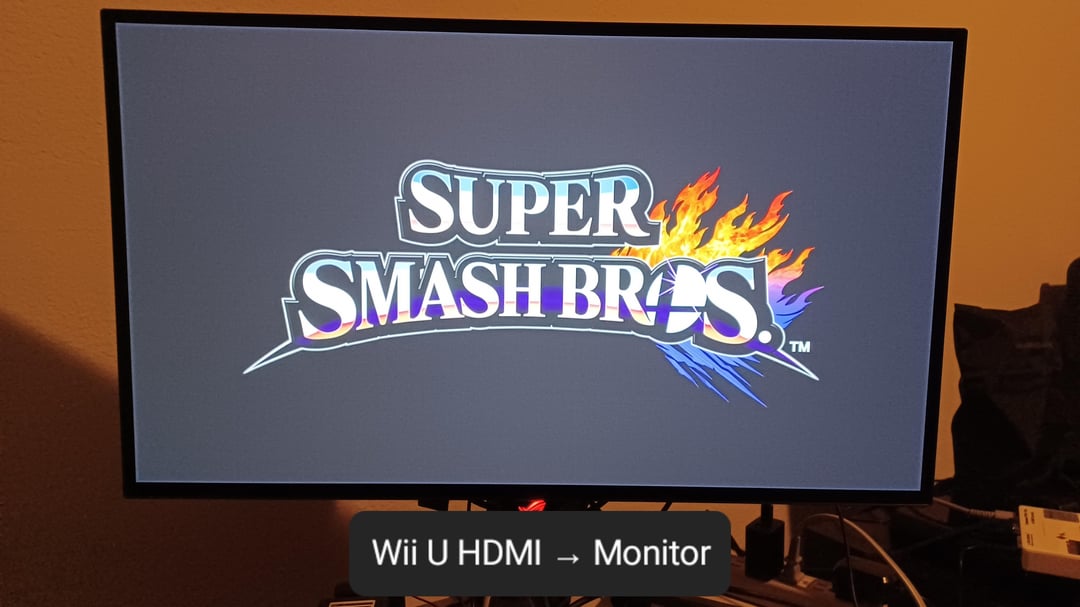
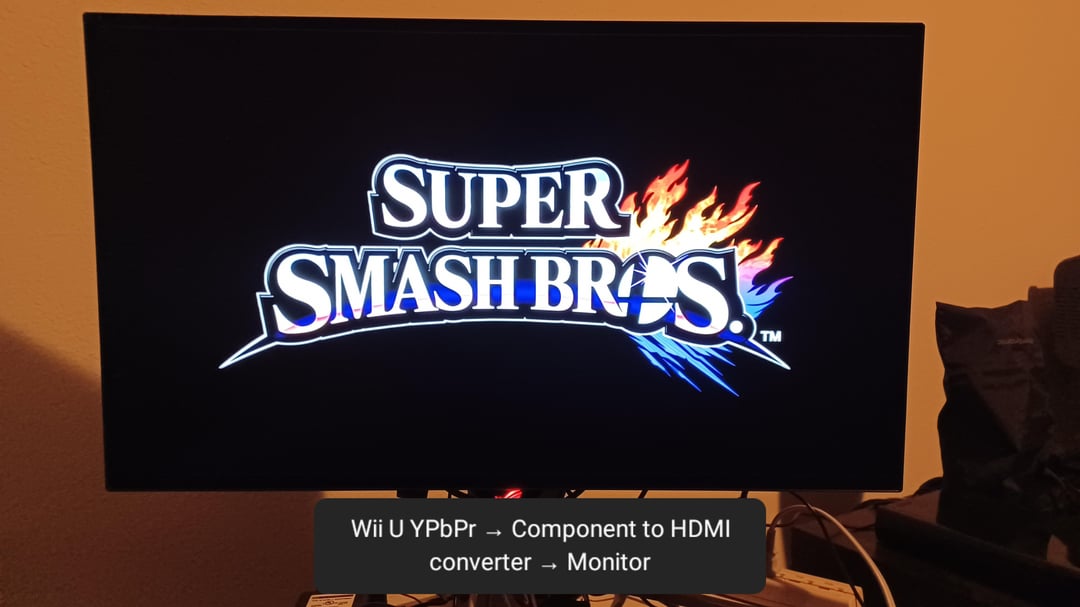
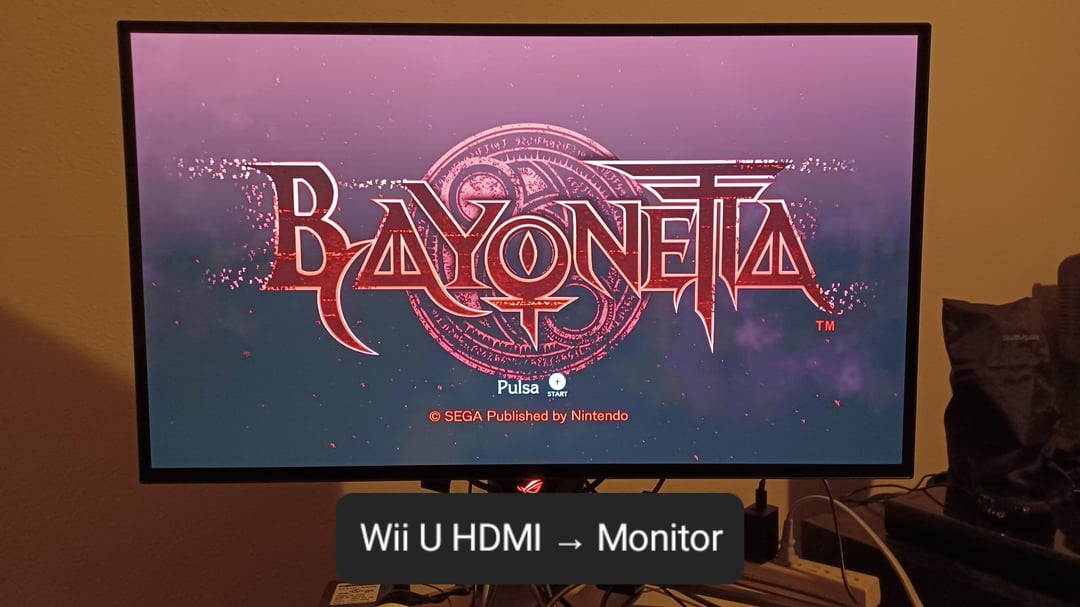
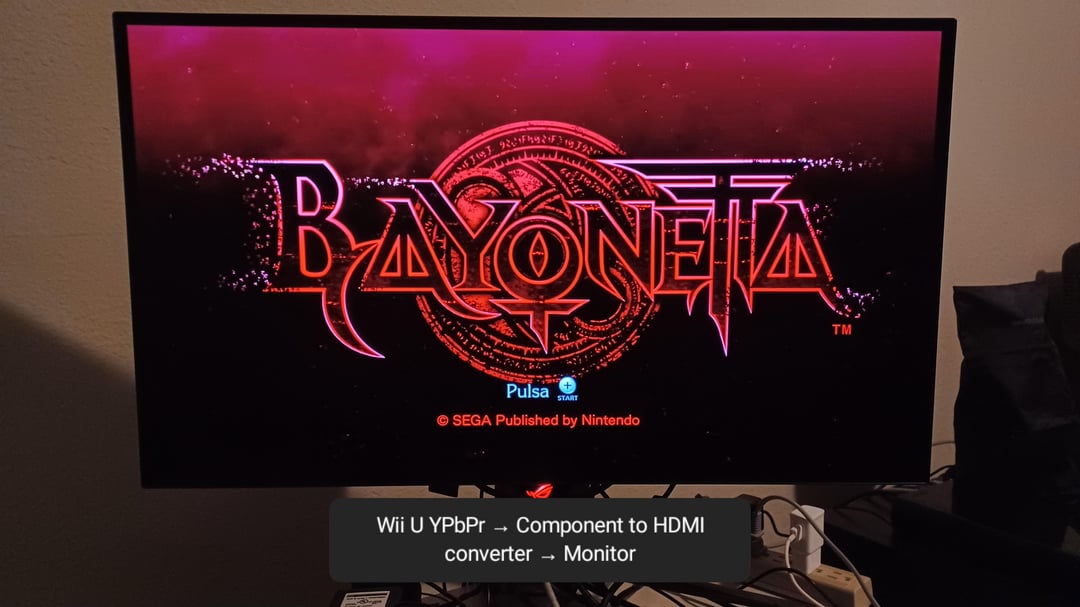
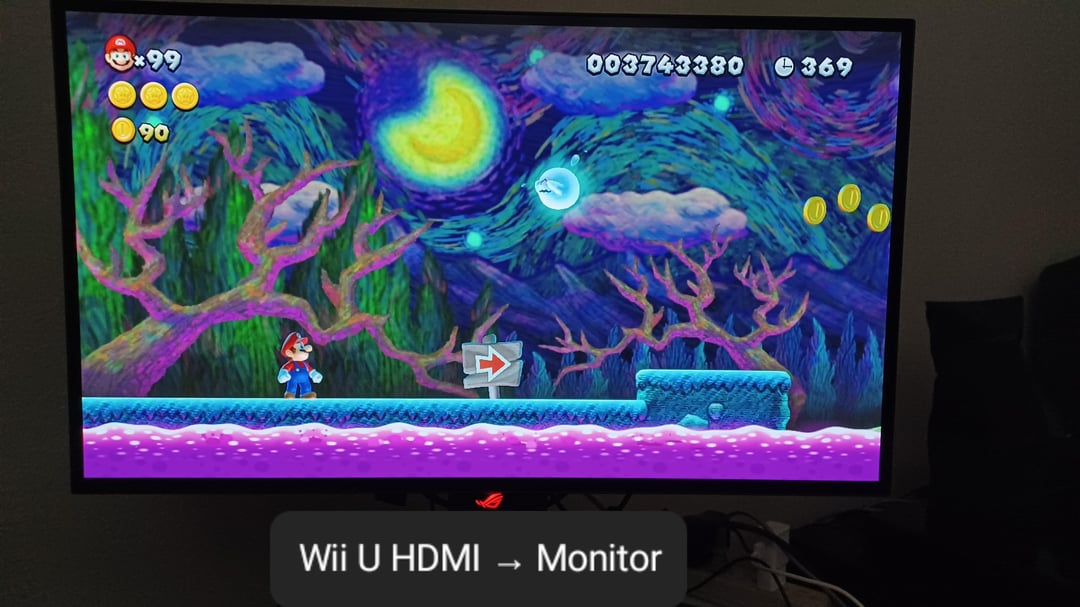
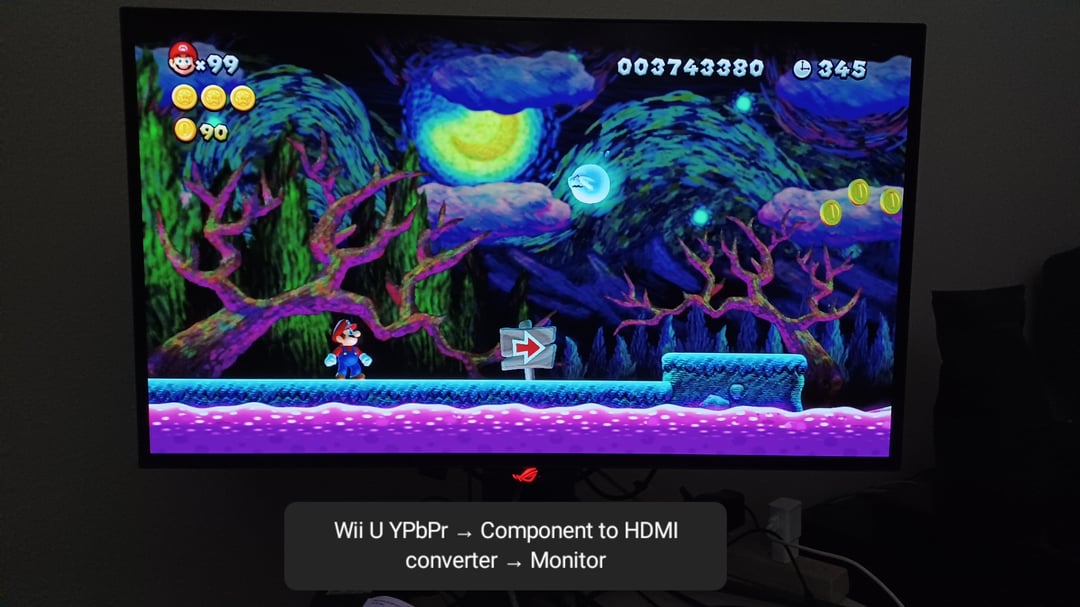
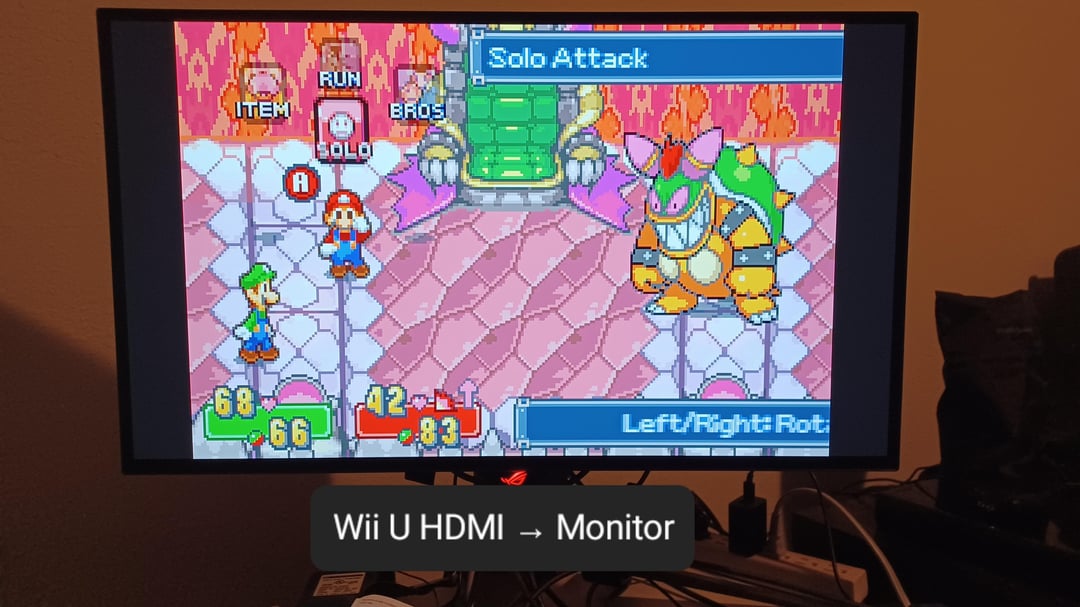
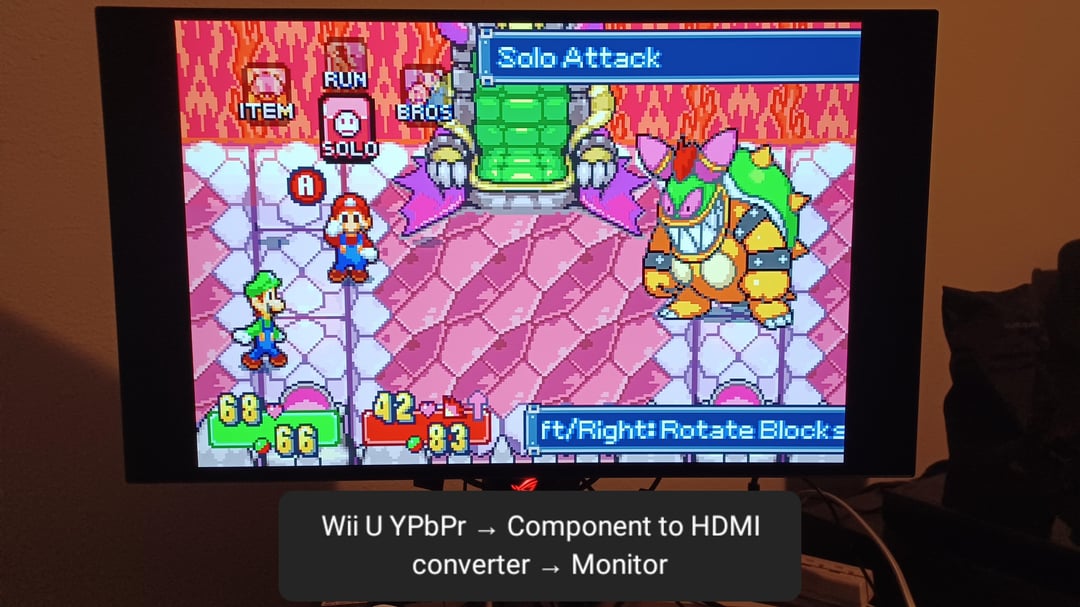
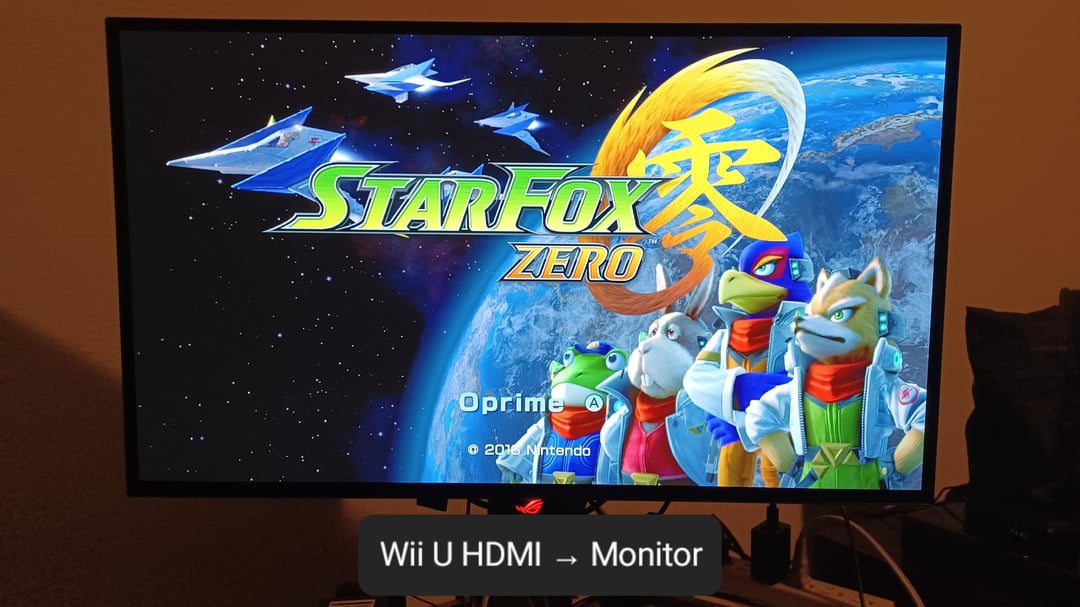
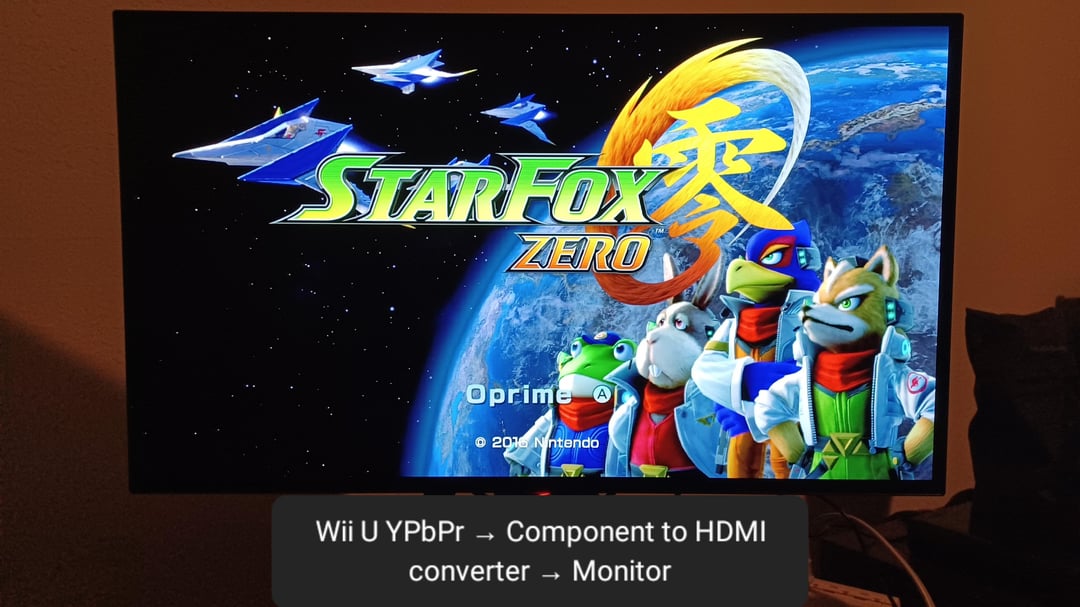
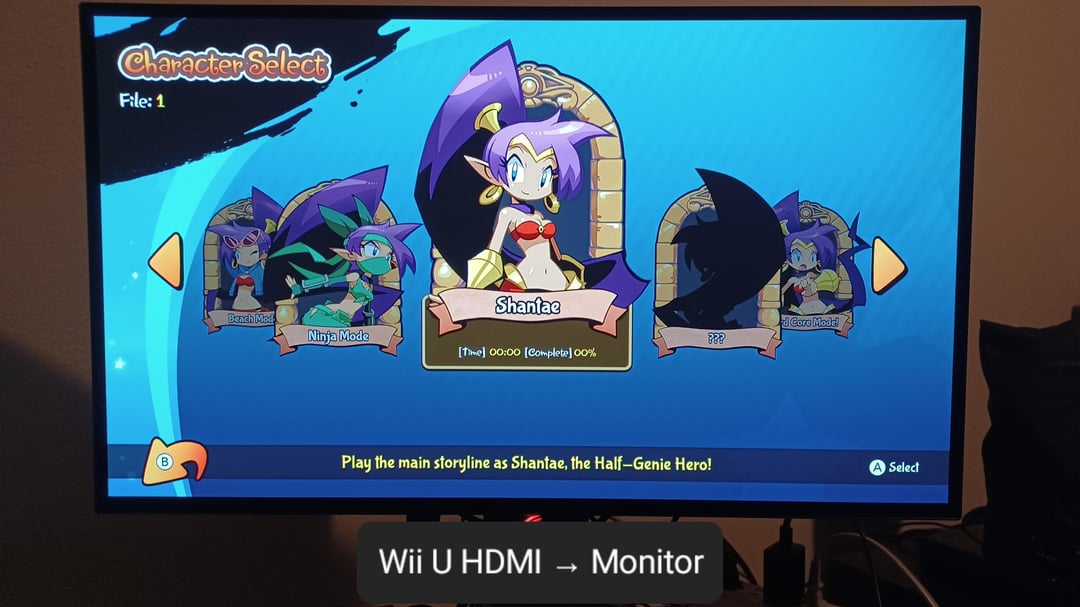
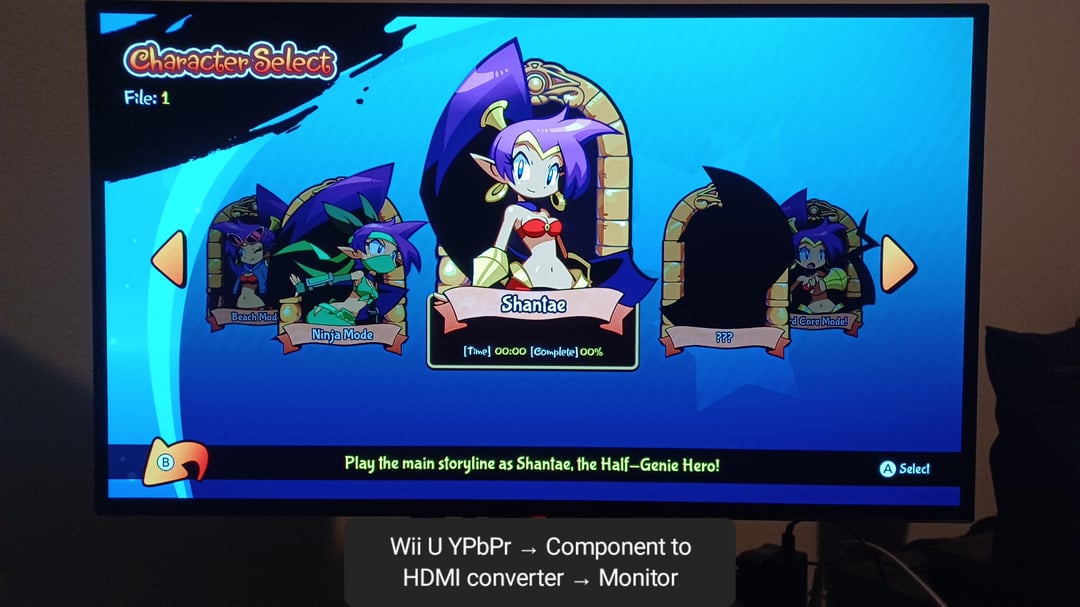
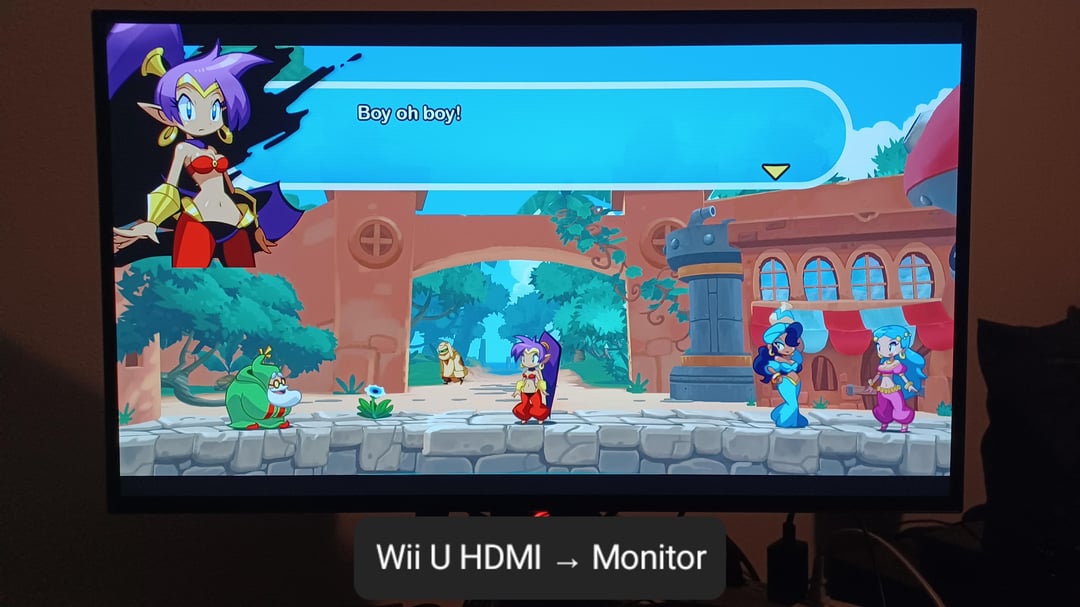
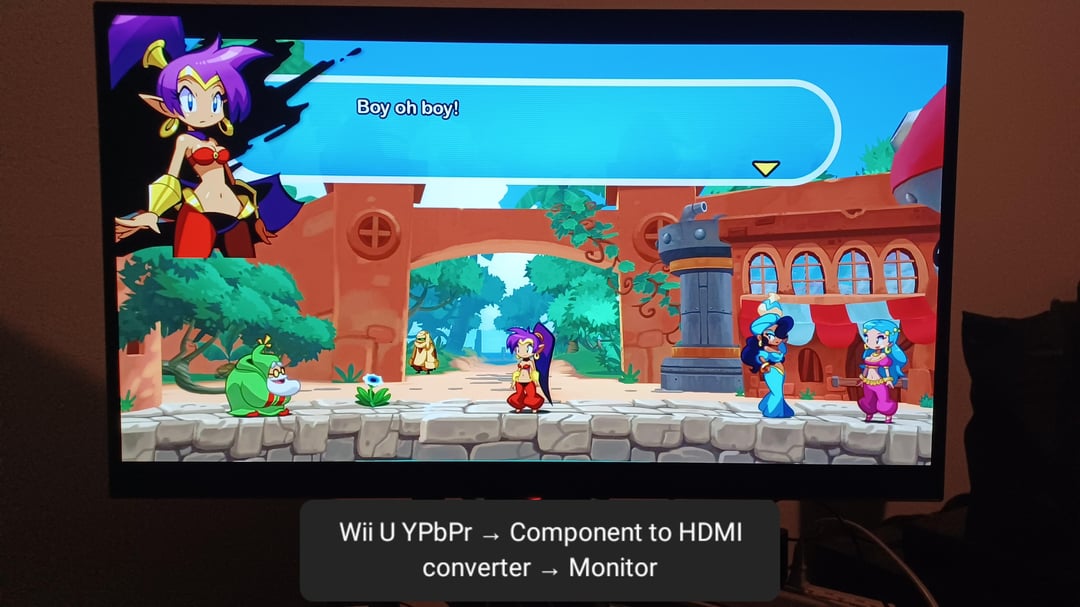
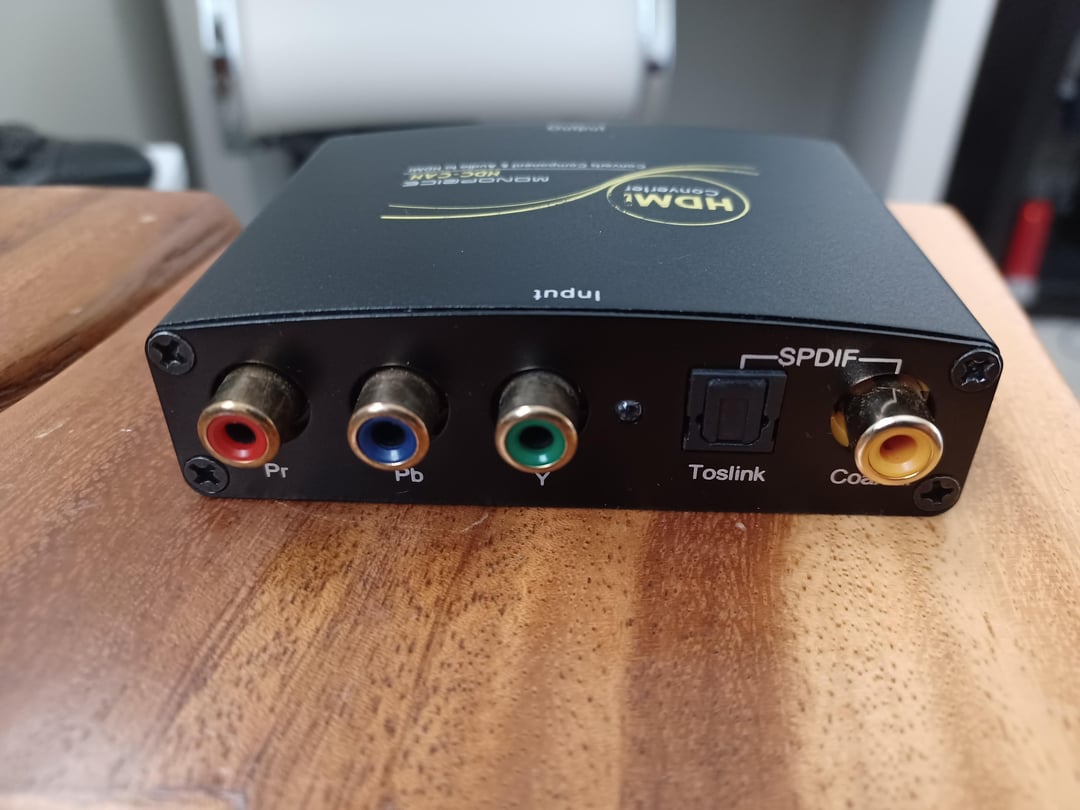
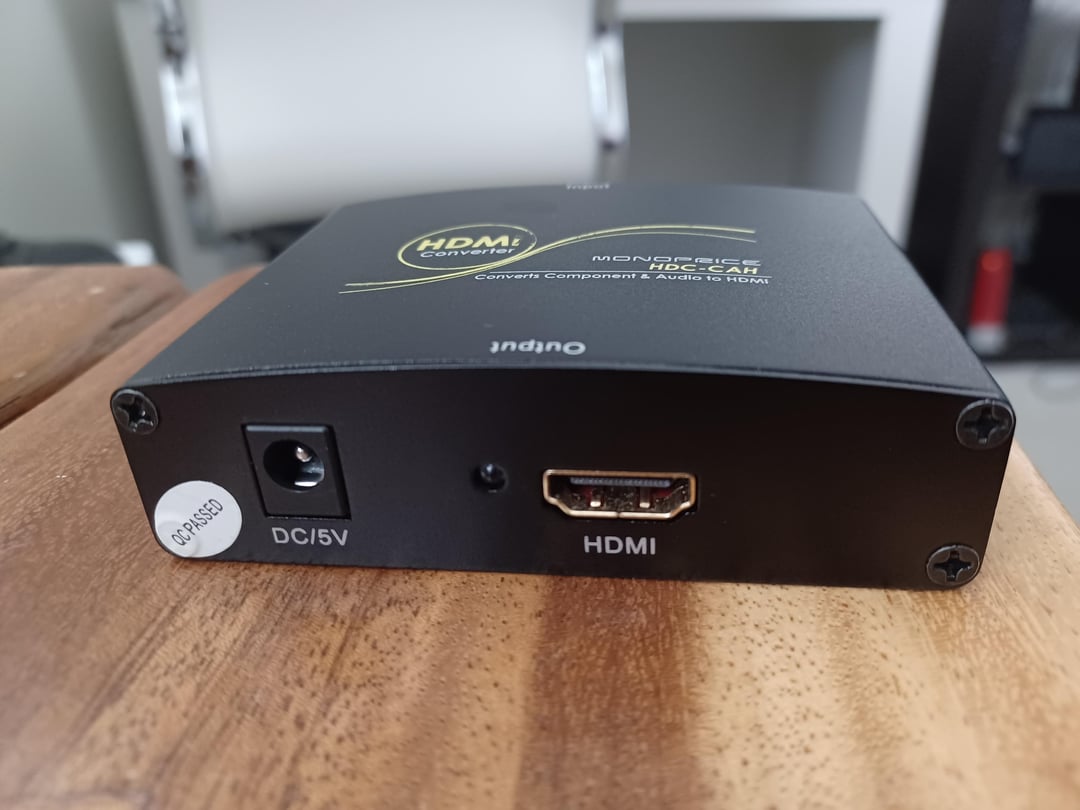
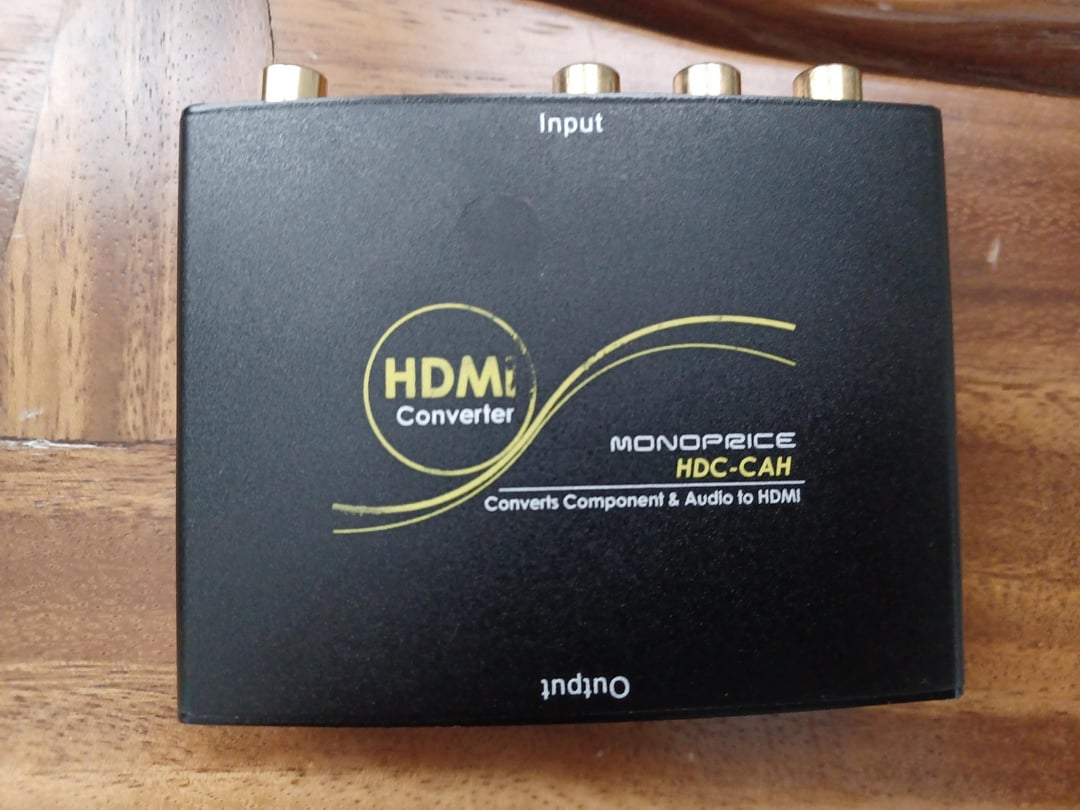
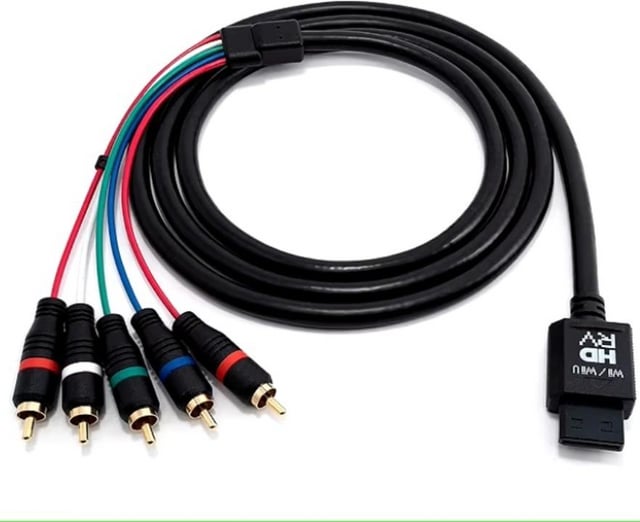
For the pictures I attached to the post, I used HD Retrovision Wii component cables and the Monoprice Component to HDMI converter for component (YPbPr), which you can see in the last pictures I attached, and the Wii U is set to 1080p on both component and HDMI outputs. Also, keep in mind that my phone's camera isn't an accurate representation of what the picture actually looks like IRL, due to how it can sometimes alter the lighting a little, among other factors, but you can still clearly see a huge difference between each of the two pictures I took for each example. This is a long read, but here I tell my whole experience with the issues I've been dealing with since the day I got my new OLED monitor, including the issue I have with the Component to HDMI converter when I output 1080p.
7 months ago, I upgraded to an OLED gaming monitor because I've been wanting to experience the quality of an OLED screen. I've been enjoying it so much, but it unfortunately handles the Wii U's HDMI signal as RGB Full Range, and it doesn't have any options to change the RGB range to Limited Range, which is what it must be set to for devices like the Wii U. The result is exactly what you can see in the pictures I labeled "Wii U HDMI → Monitor"; pure black looks too grey, and colors don't look as vibrant as they should, which is especially bad on an OLED because those are two things that make OLED displays special, they can completely turn off their pixels to display true black in a way LCDs cannot, and the colors can look quite vibrant.
I don't think there's a way to solve this if I keep using HDMI directly into the monitor, I'm just stuck with an RGB range mismatch that I can't even manually adjust on the Wii U and monitor. The only solution I could come up with is using either VGA or Wii component cables, and an HDMI converter. VGA and component support 1080p, so the Wii U can still send the highest resolution it supports through those analog signals, and unlike HDMI, VGA and component don't have this RGB range difference that varies across every device and display, VGA is always RGBHV, and component is always YPbPr, the only thing that can be a gamble is the HDMI output of the converter, which can be completely different from the Wii U, some converters will output Full Range, while others may output Limited Range, and there's just no way to know what they will output exactly, but I still decided to give that a try. It's also important to use good quality cables and converters because analog signals can be susceptible to interference, but they can still provide a great picture (at least to my eyes).I first tried with VGA, for that I used the same HDMI to VGA converter I was using on my previous monitor with the Wii U, and the one that I have handles HDMI input in Limited Range so it matches with the Wii U. I bought a cheap VGA to HDMI converter to use it along with that HDMI to VGA converter, it's not the best, but it at least served as a temporary solution for the Wii U, and for my NES and SNES Classic Editions (which also output Limited Range), but it's not the best. When I set the Wii U to 1080p, the pixels get so shaky that it becomes unusable, but that doesn't happen when the Wii U is set to 720p, although I still noticed issues. I then tested the Switch 2 with the VGA converters just to see how they would handle a completely different device, and the pixels didn't even move an inch with the Switch 2 set to 1080p, and since I already noticed pixels wobbling a tiny bit when using the HDMI to VGA converter on the Wii U, which I didn't see when using any other device, I decided to try component cables instead.
For component, I avoided those cheap Component to HDMI converters on Amazon, including that Portta one. I tried three of them many years ago for my Wii, and all three are poor quality converters. I remembered that Monoprice used to sell a Component to HDMI converter, so I looked it up on eBay and bought a used one because Monoprice discontinued that converter many years ago. The converter doesn't add any noise, which is great, it outputs RGB Full Range via its HDMI port and matches up with my monitor, so I also used it with the Wii U. That's why the pictures labeled "Wii U YPbPr → Component to HDMI converter → Monitor", look far better. The only problem I'm having with it is that when my Wii U is set to 1080p via component, the Monoprice converter can occasionally struggle with it, and the signal cuts off for a few seconds and comes back on. This only happened to me when opening the Wii U's suspend menu, in the character select screen in Super Smash Bros. for Wii U, and a few times in New Super Mario Bros. U when the game was booting up and in the Star Coin screen that you can select in the pause menu while in the map screen. So far, the signal never got cut off during gameplay or cutscenes, but I still hope it doesn't. Now, I know that the majority of Wii U games are 720p internally, but some Wii U games do render at 1080p natively, and some of these are among the best games on the Wii U, so 1080p still matters. I would avoid using 1080i because the monitor's deinterlacing can add a chunk of input lag, and games running at 60fps may not look as good as they do when outputting a progressive resolution to the monitor. So I then tried other Component to HDMI converters, one from StarTech, and one from J-Tech Digital, the StarTech doesn't have any issues with the signal cutting off at all at 1080p, but it outputs Limited Range and my monitor interprets it as Full Range just like the Wii U, so it didn't work out for me, and the J-Tech converter also cuts off the signal in a very similar way to the Monoprice converter, although it seems to struggle more, and it outputs Limited Range too. The J-Tech converter also has a VGA input, so I tested it with the Wii U plugged into the HDMI to VGA converter, and the pixels didn't get too shaky this time, so VGA could still be an option for me. By the way, I know how expensive the StarTech converter is, but I bought it used on eBay as well for just $18, so I didn't waste like $140 on a converter.
Right now, I'm settling with the Monoprice converter, but if you know about any solutions to this issue with the RGB range mismatch, I'd love to know. Did anyone else have this issue with the Wii U?
Posted by Mushroom0064
2 Comments
Question the one with just the HDMI seem to have more detail? Do you lose it with your set up? It seems to be missing some assets
I don’t know if I’m answering your question. But I have a cheap Wii 2 hdmi and I can feel that difference. With the hdmi through the Wii 2 hdmi the colors have more depth than with the HDMI.