
Hey everyone,
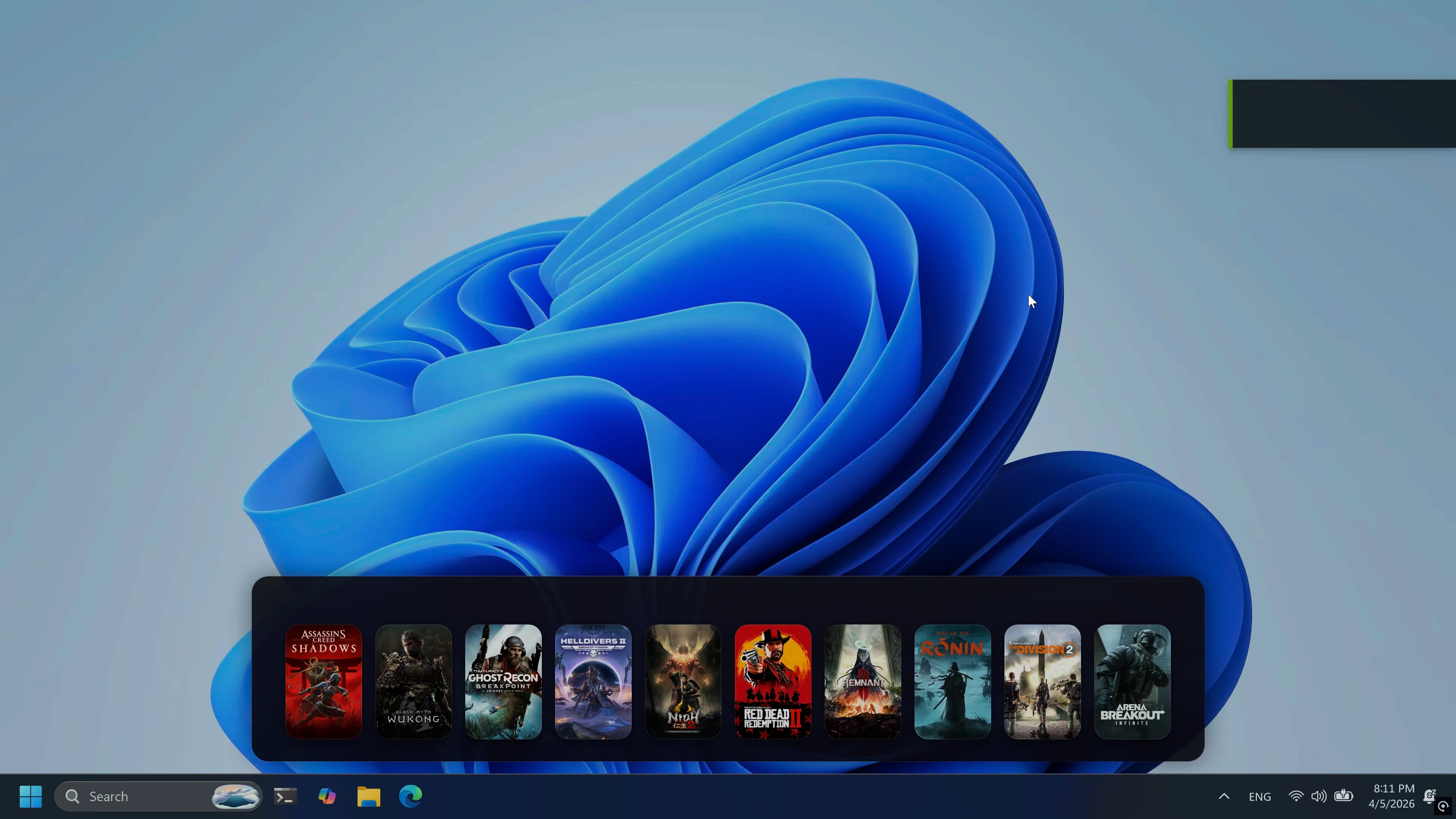
I was trying to find a faster way to access my games… and somehow ended up building my own version of a “Steam launcher” 😅
It’s still very early (alpha), but I wanted something that feels a bit more alive and quick to use instead of digging through menus.
Still experimenting with it — I’m even trying to make it fully usable with a controller.
This is me learning UI development with .NET and WPF by the way.
Posted by Single_Frosting2042
12 Comments
Reminds me of Stardock from back in the day. Simple enough to where it could work. But maybe make the box art or icons smaller/adjustable.
if you can adjust the size then this looks pretty good
Useless. I can create shortcuts, put them all in a folder, or just filter them on Steam and only see the installed games. There is also Steam Big Picture mode…that’s made for a controller (can be launched from a button set on your controller btw)…so I really don’t see the advantage of your app…I only see a security flaw if it has access to my steam library.EDIT: A launcher to launch games from another launcher(Steam), especially since some games already force their own launcher through Steam, for example Rockstar games…is a really stupid idea, and nobody should trust you, and you are butthurt already I see, since you downvoted me, or other people that don’t think about security. Meh. Edit2: you replied to me and deleted the comment, didn’t manage to read it…so most likely you had no good explanation. People should not trust some random guy to install his apps on their pc’s…I would delete this post if I was an admin.
My only problem with it would be that it’s always there, at least it looks like that way. Is there like a collapse option or something to make it go away temporarily?
From a UX standpoint, I feel like it’s lacking editing elements. What you get as a prompt from right clicking, some of those settings should live as visual or pictorial icons that the user can click. Or honestly, just one, being a small gear to edit. Otherwise I like the minimalism.
Would prefer a widget than a dock
Cool. But why? How many menus are you having to go through to see your games? Just right-click steam then library? It’s not hard. it’s cool if you want a different vibe, but it’s just extra for no reason.
It would better if you had a couple games on the taskbar. This is just ugly.
Tell me… did you enjoy shadows?
I understand the spirit, but I don’t know chief.
It’s a very clunky when you’ve already got access to Start Menu pins, taskbar pins, desktop icons and system tray right-click. There are four different ways to achieve this already.
This looks good but it must suck a lot of resources fr
AWESOME