
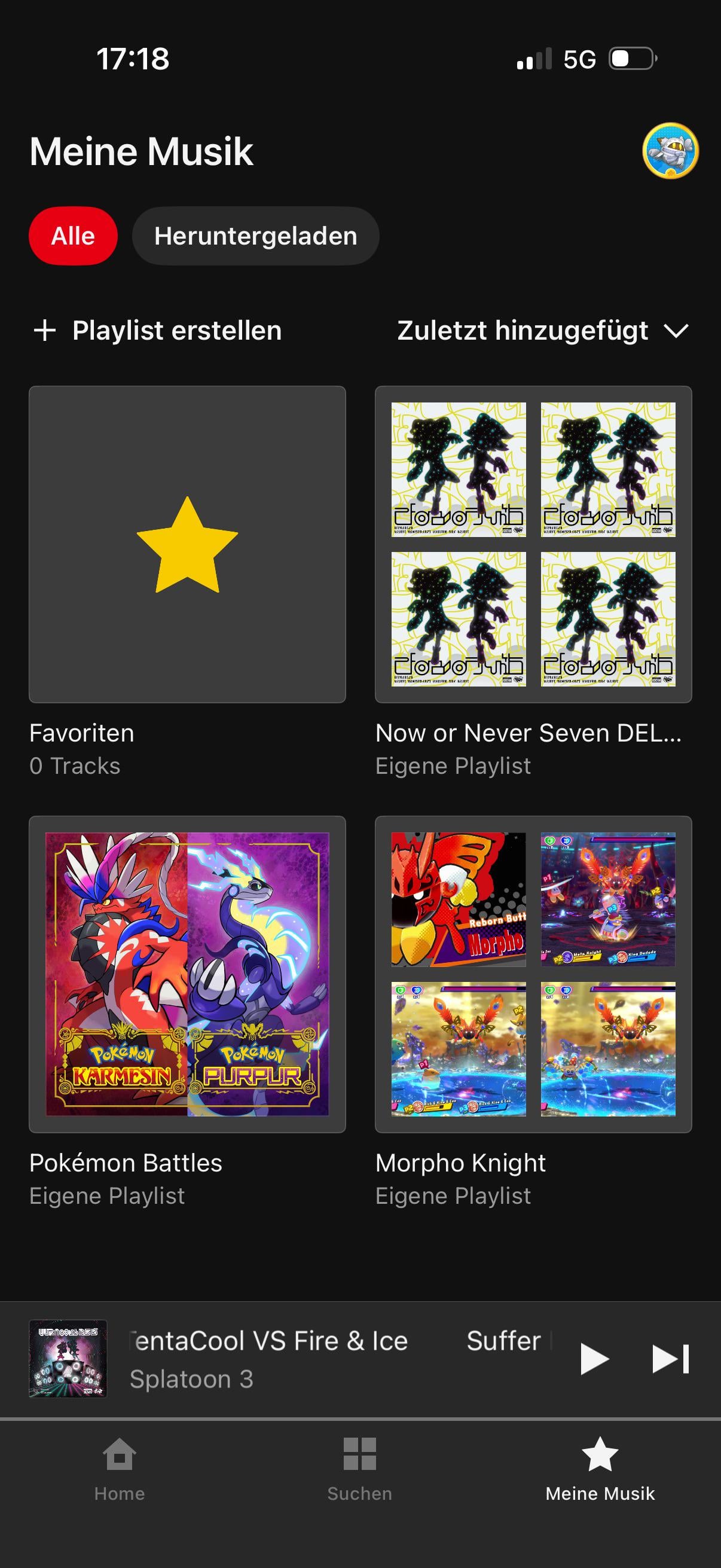
I began making a few playlists of my own in Nintendo Music & I’ve noticed something strange regarding the cover images.
As you see in my Pokemon Battles playlist, the cover is that of a SV song, cause that’s the first song in the playlist.
However for my other playlists, it shows the first 4 songs.
Is there a way to change that, so it only shows the first one, like for my Pokemon Playlist?
I even tried adding only one song first & then add others, but then it goes to 4 again.
Does anyone know how to do it?
I only found out how to change the name of a playlist and order of songs, but it’d be so nice if there’s a way to change the cover as well.
Posted by AwardSignal
1 Comment
All you do is tap edit at the top of the playlist, and then tap the choose photo option, and you can make the cover for the playlist be whatever you want from either your photos or files.