
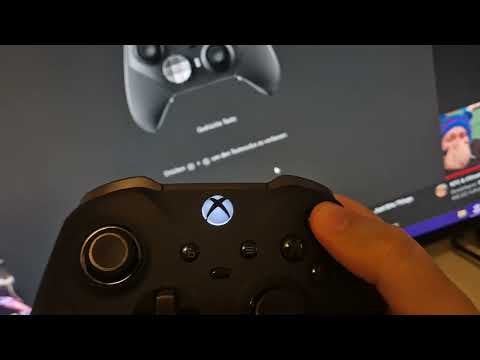
This is what I’m talking about: [https://youtu.be/qL-s7CmrGi4](https://youtu.be/qL-s7CmrGi4)
I’ve just unboxed this new controller and tested out the buttons. And it seems like if I press Y and A too softly, it won’t properly register in the Xbox App on the screen in the background. So I have to press them a little bit harder than X and B for them to work properly. Especially Y seems to be really bad.
Sidenote:
The reason I tested this is because this is the 3rd controller in a week. My 1st controller’s LB Button stopped working properly after 5 months of medium use. They took it back and sent me a new one since it’s under warranty. Then, yesterday, the new replacement arrived and I immediately tested the shoulder buttons, only to find out that the LT button is not working properly either. So I brought it back and yesterday they sent me again a new one (which has this Y and A issue?). I didn’t test the ABXY buttons on the previous two controllers so I’m not sure if this weird press-registration was the same on the previous ones… Either I’m becoming paranoid, or the way these buttons are is normal this time, or this is some really shitty quality control over at Microsoft.
For the curious:
Controller 1 LB issue: [https://youtu.be/ln15D3KbT2Q](https://youtu.be/ln15D3KbT2Q)
Controller 2 LT issue: [https://youtu.be/Yk5-t1DN7vs](https://youtu.be/Yk5-t1DN7vs)