
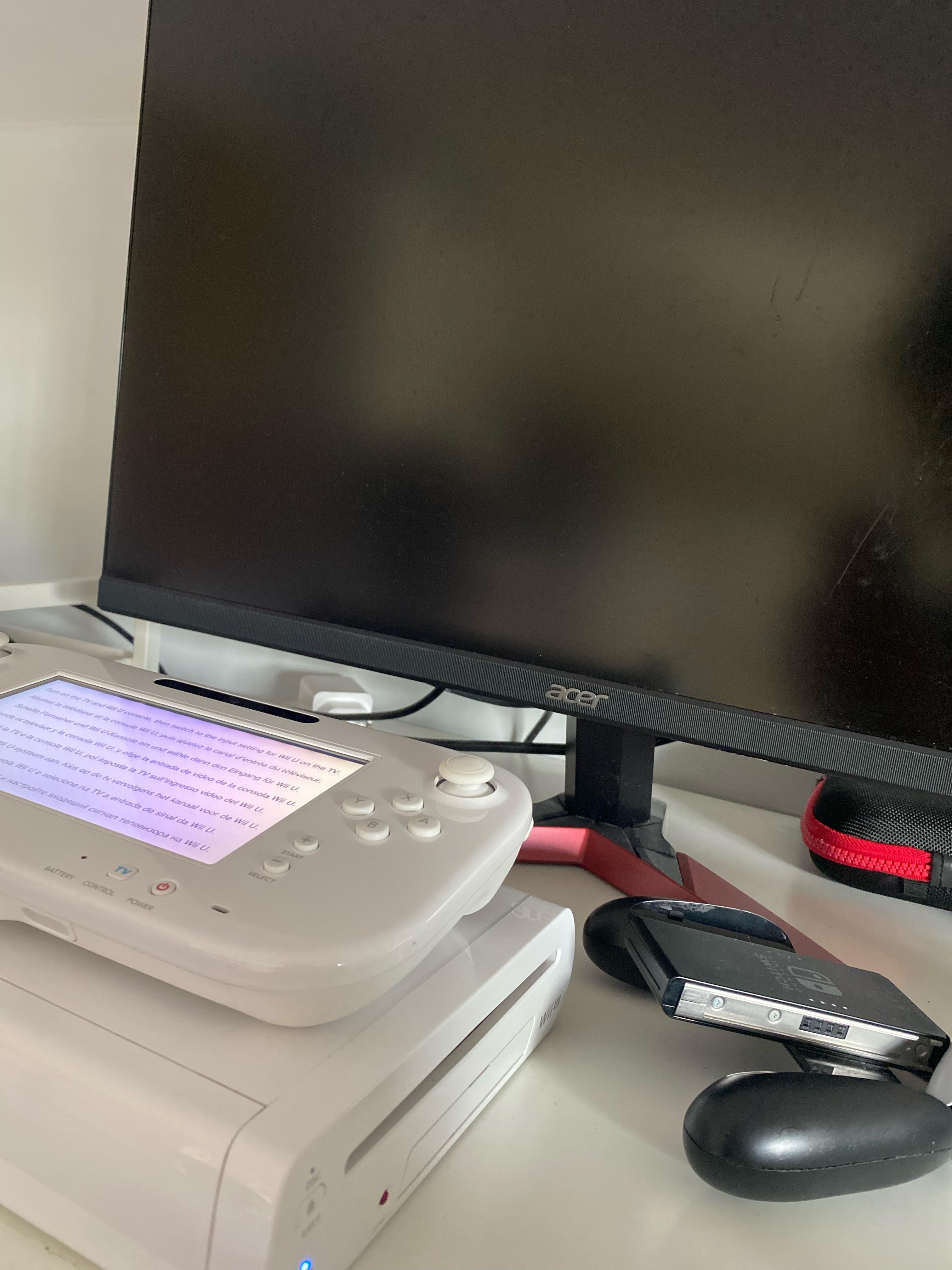
I just bought it, used it and I don’t know why despite connecting the HDMI cable, the cable to turn it on nothing has happened yet how should I do please, help me
Posted by Crazy_Source_5190
I just bought it, used it and I don’t know why despite connecting the HDMI cable, the cable to turn it on nothing has happened yet how should I do please, help me
Posted by Crazy_Source_5190
11 Comments
Did you try with another hdmi?
La pile du BIOS ?
It is possible that in the settings. The output is set to AV cable output. There is an option for HDMI or AV cable output display seetings. See if you can get to the settings and change it.
Exhaust every option. Do you have a tv in the house? Try it on that. If that doesn’t work try borrowing another hdmi cable(perhaps the one for your switch) and see if that works. If it’s still not working try a regular av cable to see if it’s your hdmi port that went. If the multi av out works but the hdmi doesn’t, I would go for a component(red green blue plugs) cable + component to hdmi adapter. That will get you at or at least close to the video output you would normally get from hdmi. You do not want to ever get a composite(yellow plug) to hdmi adapter because then you’ll be stuck with standard definition video and it will look very poor on your monitor.
Did you try plugging in the TV
Essaye avec un câble AV de Wii cela peut fonctionner car elle peut être réglée sur AV , même problème quand je l’avais acheter il y a 6 ans en occasion , après je sais que les Wii U blanches sont moins résistantes ( en tout cas de mon expérience ( j’en ai eu 3 à un moment )J’espère avoir pu t’aider :).
I had this once, I presume you are using custom firmware? In that case you could uninstall it from the SD card and re install it, or just remove the SD card and look what happens
looks like the wii u was factory reset, so it should act like it was brand new.
on your monitor – you manually try to switch the input to hdmi?
some monitor sometimes doesn’t automatically switch inputs and or have full range support (0-255) only and you might need a component cable with a component to hdmi converter box or a wii component to hdmi for it to display.
If it works on a regular tv, check the monitor’s input settings
Sorry for your issue I hope it turns out fine but woah the white Wii U loooks so good, I’m almost switching my black one because that looks so beautiful
Could be a bad hdmi port, or a bad hdmi cord