
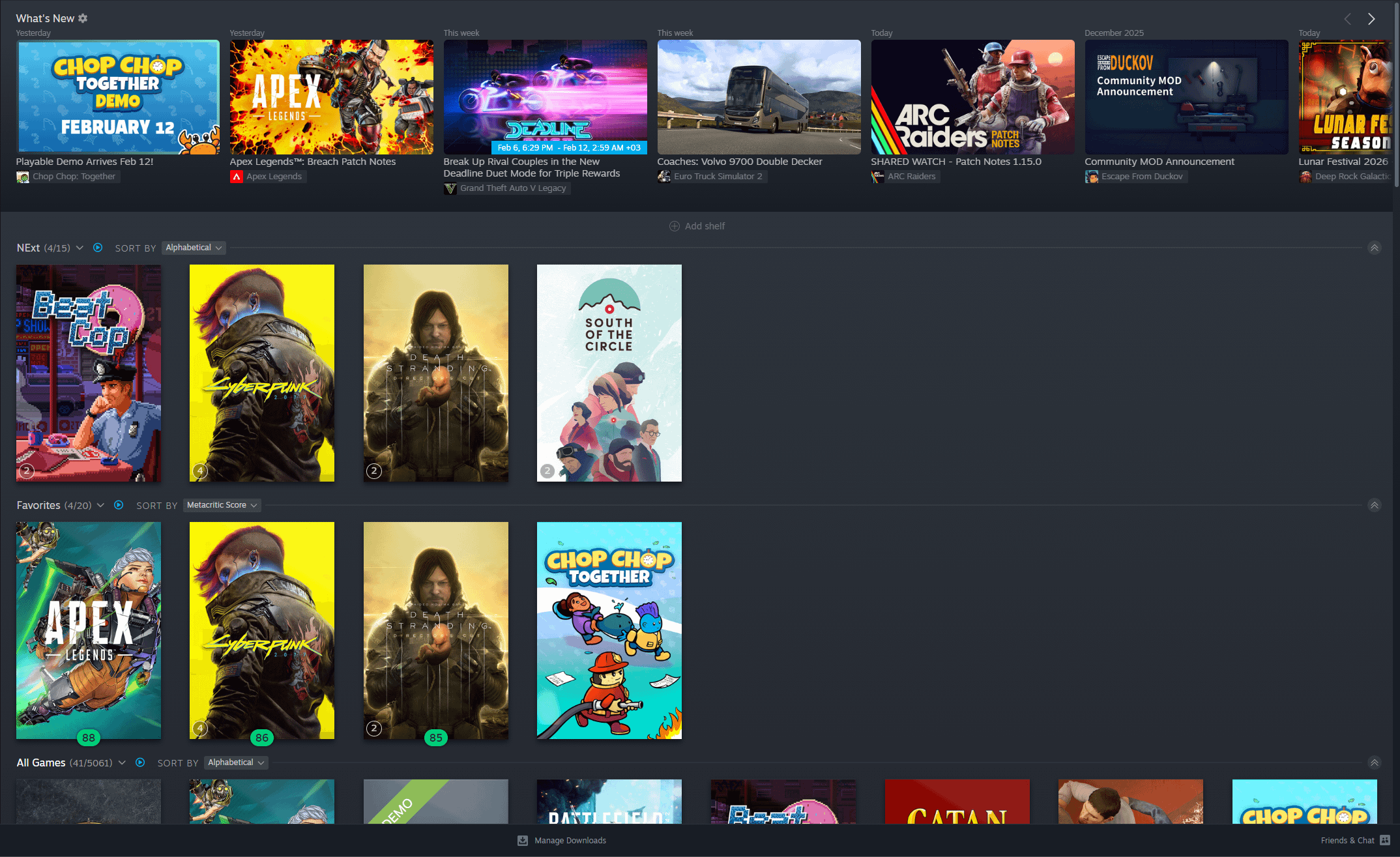
Trying to get my Steam Library under control!
How do you organize yours?
- Do you use Collections or Dynamic Collections more?
- What filters/search tricks do you rely on the most?
- Any underrated “hidden gem” Library features you’d recommend?
Drop your best setup tips (backlog management especially).
Posted by Killyose
29 Comments
> installed
done
* Games I play
* Games I never play
Done
I don’t XD
I don’t
I only have 175 games. I focused hard on my backlog last year. Here are my categories: multiplayer, DNR (for games that don’t run on modern pcs), Not my cup of tea (games that I have tried but cannot get into but might visit again), completed-2025, completed-2026, completed (?-2024), Rotation (games I am working on now – limit 3) and then all uncategorized (this is my backlog)
filter,
-installed locally
that’s it.
also group together your most played / frequently played and mods separately.
On PC: dynamic collections
On Steam Deck: filtering
Well, maybe I’ll switch to Big Picture Mode and filtering on PC as well. It feels much better.
That’s the neat part, I don’t.
I have a dynamic list that’s basically just “games that are installed”. That way they’re at the top of the list.
i have: favorites, games I wanna play, games I’ve 100%, games I wanna 100%, and games native for apple silicon (I have a Mac alongside my gaming pc)
https://preview.redd.it/s2l8luj6moig1.jpeg?width=1320&format=pjpg&auto=webp&s=4dee072283e0b92a39529f8fa99c81c7c203f2b6
Got mine organized by publisher/Developer
Recently played & Favorites
put them on collections based on game categories:
RPG, Adventure, Action, Horror, Simulation, Sports & Racing, Doodles, Visual Novel, Strategy, Puzzle, Other, Non-Game
I organize by now playing, unplayed, beaten, completed, and abandoned / shelved
At the moment, I only have one category and that’s “100%” for games where I’ve earned every achievement.
I only use hide feature for stuff like demos or expired beta etc.
I’ve messed with various setups for my library, such as doing my own genre tags, but where I’ve been settled for the past few years is like so;
> Achievements Complete
> Story Complete
> Unfinished
> Never Launched
> Singleplayer
> Multiplayer
> Outdated (games that I own updated versions of, for instance skyrim vs. Skyrim ultimate edition)
I’m not much of an achievement hunter, so my achievements complete tag doesn’t get a whole lot of use, but I’m happy with this. I might add a tag for “Current priority backlog,” just for a little more order.
Enable the installed and sort by last played buttons. Whenever I’m looking for something different, I just use the search for tags.
Only collections I have are `To Play`, where I put games I’m interested in playing whenever I finish my current one, and `100%`, where I put games I have all achievements in and mostly use to monitor for games that have added new achievements since my completion of them.
Works fine with my 1600+ games.
I have collections based on genre/theme. I have a souls one, horror, historical, 40k, Final Fantasy, and a finished and a wtf (want to finish)
I have many many many categories but my 3 favorites are:
1st person
2d platformers
3rd person.
Covers 90% of my library, jives well with mood. I like the numerology too
by genres of the games
Installed, installed and unplayed, unplayed, and all the rest (ie played and not installed)
Favorites, dynamic collection of all VR games, uncategorized
https://preview.redd.it/j8ss501unoig1.jpeg?width=276&format=pjpg&auto=webp&s=85b18a50680a347d8a808fec88e37479b151be5b
Installed>date last played>alphabetical.
All of which steam does automatically.
Completed / Finished / In Progress / In Queue / Multiplayer / Others
In Queue and Multiplayer are dynamic, but I have to move my games to In Progress / Finished / Completed.
i use 2 collection: backlog and favorite
Finished and uncategorized
I have one category for games without Steam Cloud.
Besides that, installed or not installed