
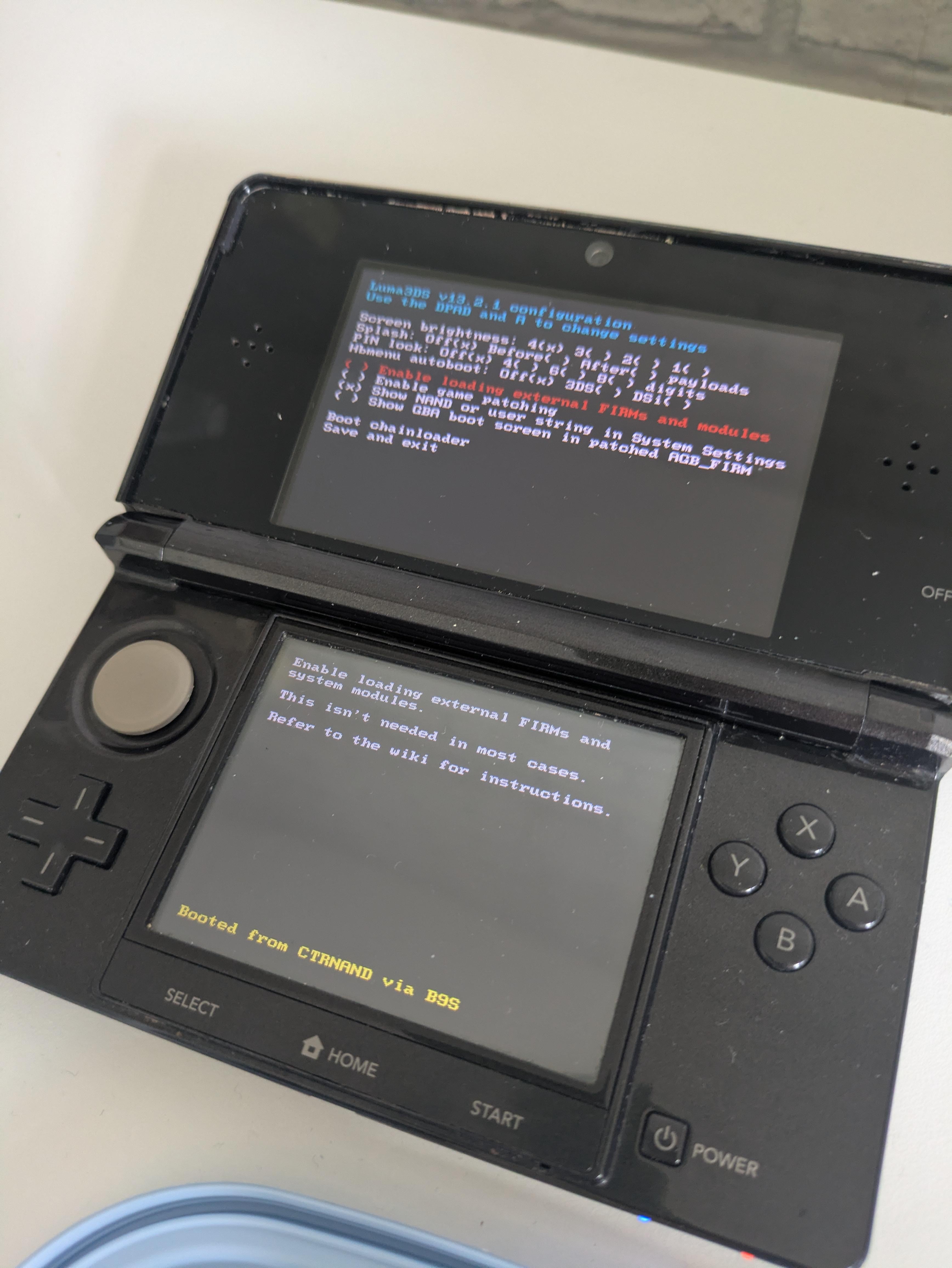
Hi all, never had a 3DS as a kid. Mentioned this to a friend the other day and they gave me their broken one that wouldn't turn on. Followed a few guides on taking it apart, and it looked like the charging port had broken. Just replaced it, and believe it or not it seems to actually be charging.
Turned it on (I'm still amazed this thing turned on) and this came up. I assume this is not what a default 3DS is supposed to boot to. What does this mean? Does it mean that it's previously been modded? Or is it just the BIOS, suggesting it's still not completely fixed? What should I do? I'm not super-techy, but I like to think I'm smart enough to follow instructions.
Also, I assume I can safely turn this off and on again and it will come back to this screen again?
Thanks
Posted by EC_of_Peasy
4 Comments
This 3DS was modded, that’s a configuration screen for Luma. Did you try saving and exiting?
It means it’s running Custom Firmware! That should be good to run! Press the Start button to boot to the Home Menu : )
It’s the luma setting page ! Your friend’s 3ds is modded with “Luma” It’s totally normal that it open up after a long time. Just press x on the first 3 options and allow the splash.
Then press start 😁
Does the device have an SD card inside? If so, it’s most likely been modded. I believe that is the luma menu! Nothing harmful in it, just press save and exit. It’s only used to turn FRIMs as you’ve probably seen at the bottom and the top as a choice and for splashes. The first option needs to be on