
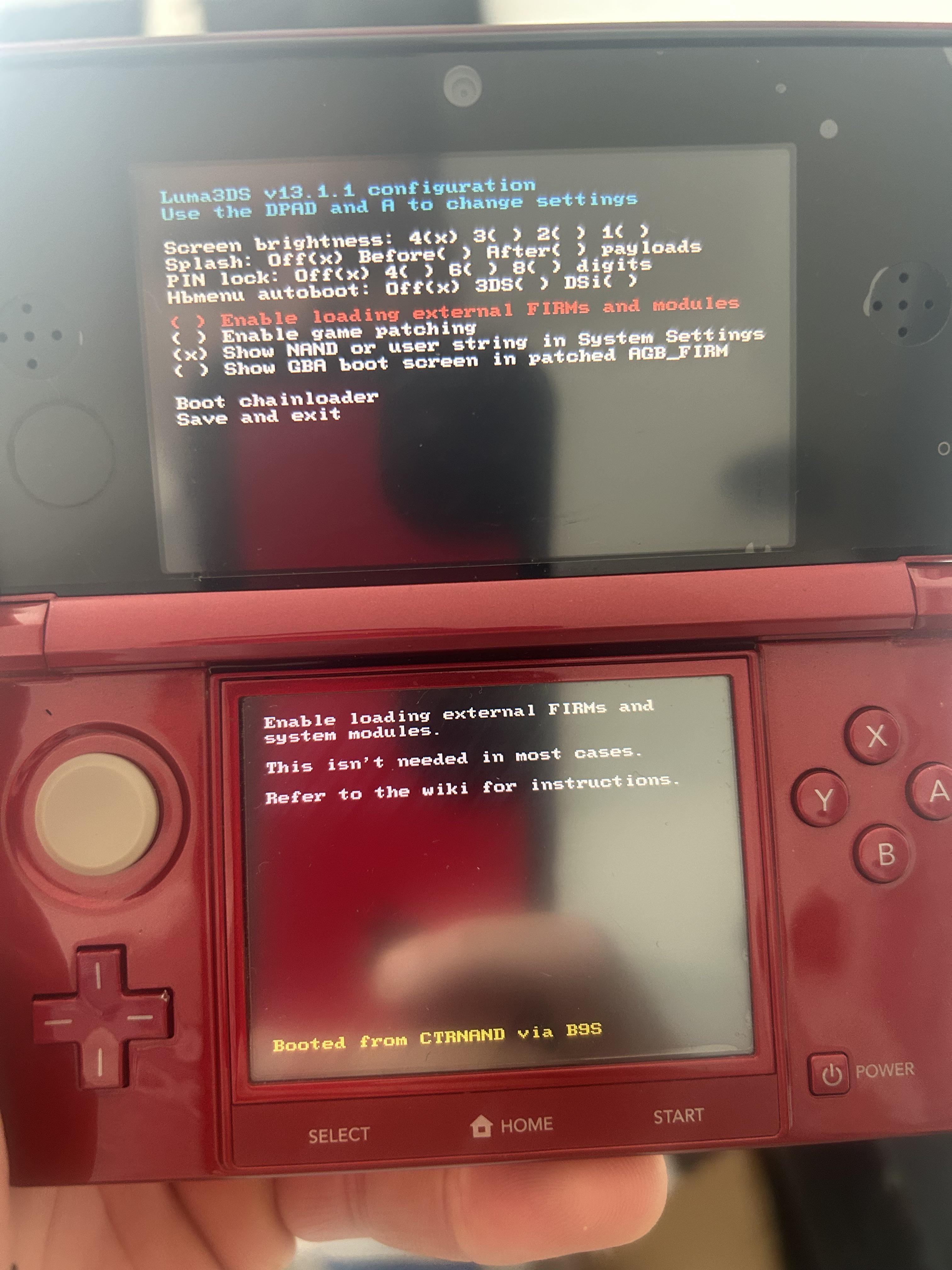
I bought a used 3DS because I wanted to go the
"legitimate" route to trade my Pokemon from DS Soul Silver and Black/White via the silly PalPark and Lab trading to get them to current Pokemon Home/Bank;
As I was going through the various guides I saw you need 2 consoles to achieve this and so I bought a used/ refurbed 3DS from eBay. Upon receiving I charged it up and booted it on which I then got presented with this screen above.
Since I've never hacked nor bothered getting into the 3DS modding scene; I was curious as what button or settings I should select to go forward and use the 3DS as a
"normal" console for the purpose I described.
Is there any security concerns with this device? What can/should I do (if anything) to pretend this isn't a hacked 3DS and not risk getting banned or associated with my account?
Posted by SolidKhaos
7 Comments
You won’t get banned lol. Just press save and exit.
Save and exit and it should boot up normally. Also I would not suggest removing CFW, you might brick it, also no you won’t get banned.
Hi just take the right steps and you’ll be done
A modded 3ds functions exactly the same as a regular one once you skip the luma intro
You can’t get banned from the eShop or Nintendo servers because they stopped support years ago. Enjoy the modded console—it’s the best! Press start.
Just enjoy it, don’t try to unhack.
At some point you can figure out how to download games
this is a modded 3ds and yes you can ignore it and play regularly as for security risks practically none there are a few random ways you can brick it (such as saving your home menu in settings or viewing somebody’s most used app on streetpass if its a cfw app) but other then that its pretty safe and there is no risk of being bricked. do you have any hombrew/cfw apps on the homepage or was it wiped? if so you might want to follow [3dshacks.guide](http://3dshacks.guide) guide to restore those apps so that you can make sure that everything is up to date such as luma which is the main mod that makes sure everything is safe and will not brick from a future Nintendo update you do seem to be on an older version of luma “13.1.1” the latest version is “13.4” follow this guide to update everything [https://3ds.hacks.guide/restoring-updating-cfw.html](https://3ds.hacks.guide/restoring-updating-cfw.html) DO NOT FOLLOW ANY VIDEO TUTORIAL REGARDING MODDING A SYSTEM they can quickly get outdated and are not official always follow [3dshacks.guide](http://3dshacks.guide) the official site let me know if i can help with anything else